Accounting software that is dependable, effective, and able to sustain long-term growth is necessary for managing firm finances. Even though Xero is a well-known cloud-based accounting platform, many companies ultimately choose to move to QuickBooks due to its robust reporting capabilities, adaptable features, extensive third-party connections, and user-friendliness. A skilled Xero to QuickBooks conversion guarantees the precise transfer of all crucial financial data, enabling businesses to carry on as usual.
Knowing the Xero to QuickBooks Conversion process will help you make an informed and confident choice, regardless of whether you are an accountant, small business owner, or expanding organization searching for a more scalable accounting solution.
What Is Conversion from Xero to QuickBooks?
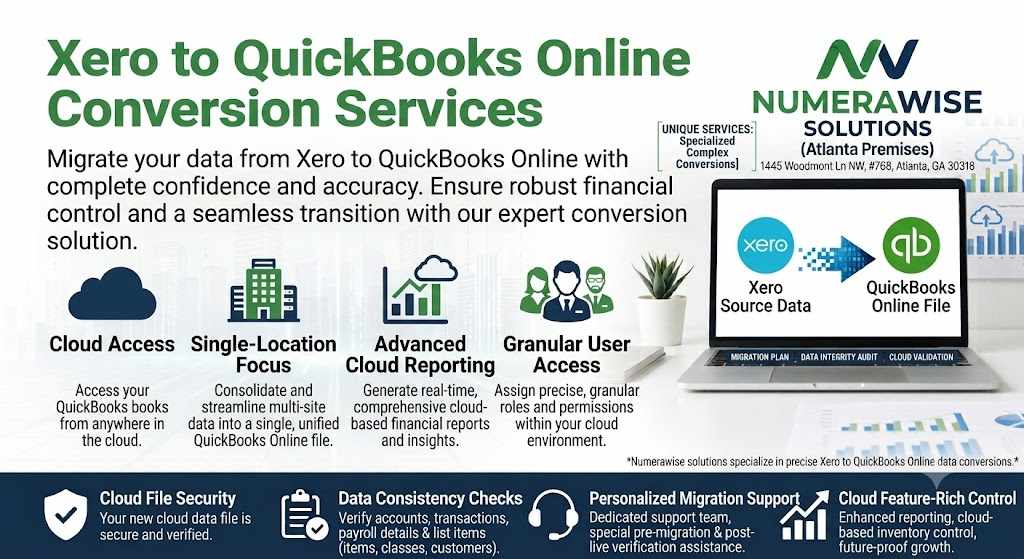
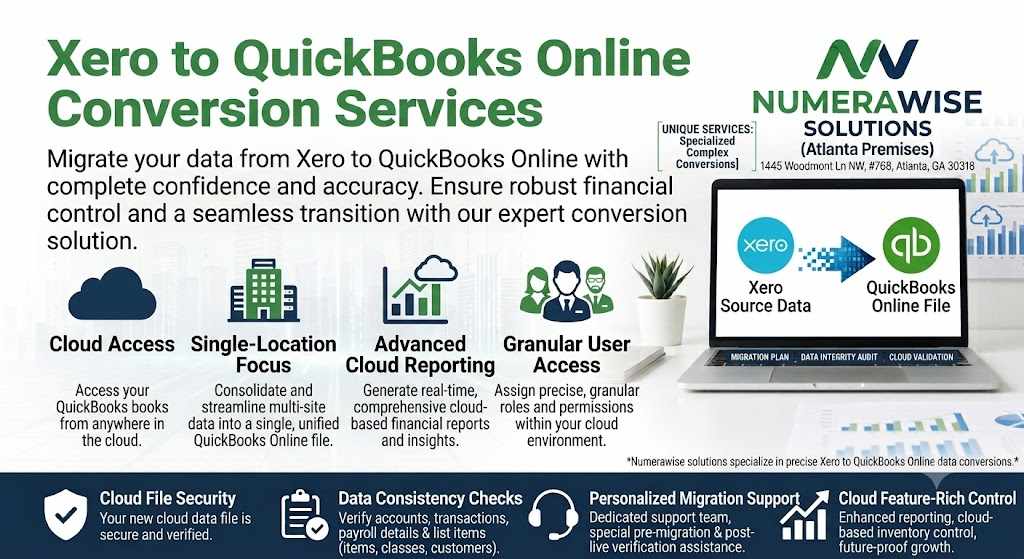
The process of transferring accounting and financial data from Xero to QuickBooks Online or QuickBooks Desktop is known as Xero to QuickBooks Conversion. Important business data, including the chart of accounts, customer records, vendor details, invoices, bills, bank transactions, payroll information, inventories, tax records, and historical financial data, are all transferred as part of the migration.
Maintaining financial integrity while allowing companies to utilize QuickBooks' extensive accounting functionality is the goal of a successful Xero to QuickBooks conversion. After the migration, correct reports, balances, and transactions can be guaranteed with careful preparation and validation.
Why Companies Opt for Xero to QuickBooks Conversion
Every company has different accounting needs. Many businesses opt for QuickBooks due to its better flexibility, robust reporting features, and broad connection with third-party business apps, even though Xero offers a contemporary cloud-based accounting experience.
Accountants and other financial professionals also frequently use QuickBooks, which facilitates teamwork in bookkeeping, financial planning, and tax preparation. As businesses expand, QuickBooks frequently proves to be more flexible, particularly when handling higher transaction volumes or more intricate financial procedures.
The ability to automate accounting processes, streamline everyday bookkeeping tasks, and customize reporting is another factor in the decision to convert Xero to QuickBooks.
Benefits of Xero to QuickBooks Conversion
User-Friendly Accounting Software
QuickBooks is designed with an intuitive interface that simplifies accounting tasks for business owners, finance teams, and bookkeepers. Users can quickly learn the platform without extensive training.
Advanced Financial Reporting
One of the major benefits of Xero to QuickBooks Conversion is access to detailed financial reports. QuickBooks allows businesses to generate customized Profit and Loss Statements, Balance Sheets, Cash Flow Reports, Sales Reports, Expense Reports, and Tax Summaries.
Improved Automation
QuickBooks automates routine accounting processes such as recurring invoices, payment reminders, expense categorization, bank reconciliation, and transaction matching. Automation reduces manual work and improves overall efficiency.
Better Business Collaboration
QuickBooks allows accountants, bookkeepers, and business owners to work together efficiently. Cloud-based access makes it easy to review financial information securely from multiple locations.
Flexible Growth
As businesses expand, QuickBooks continues to support increasing transaction volumes, multiple users, and evolving accounting requirements. This flexibility makes it an excellent long-term accounting solution.
Data Included in Xero to QuickBooks Conversion
A complete Xero to QuickBooks Conversion typically includes the migration of:
Chart of Accounts
Customer Records
Vendor Information
Products and Services
Open Invoices
Bills and Payments
Bank Transactions
Credit Card Transactions
Inventory Records
Payroll Information
Tax Data
Historical Financial Transactions
General Ledger
Sales Records
Purchase Records
Opening Balances
The exact scope of the migration depends on the company's accounting structure and business requirements.
Step-by-Step Xero to QuickBooks Conversion Process
1. Review Existing Accounting Data
The first stage of Xero to QuickBooks Conversion involves reviewing the Xero company file. Duplicate customers, inactive vendors, outdated accounts, and unnecessary transactions are identified before migration begins.
2. Backup Financial Information
Before transferring any accounting records, a complete backup of the Xero company file is created. This protects business data throughout the migration process.
3. Clean Up the Data
Removing duplicate records and correcting accounting inconsistencies helps improve migration accuracy and creates a cleaner QuickBooks company file.
4. Map Data Fields
Financial data from Xero is carefully mapped to the appropriate QuickBooks fields. Proper mapping ensures that reports, balances, and customer information remain accurate after migration.
5. Transfer Financial Records
Using professional migration tools, accounting data is imported into QuickBooks while preserving historical records and maintaining financial integrity.
6. Validate Financial Reports
Once the migration is complete, accountants compare account balances, trial balances, invoices, financial statements, and transaction histories between both systems to verify accuracy.
7. Configure QuickBooks
QuickBooks settings are customized according to business requirements. This includes user permissions, tax settings, banking preferences, payment methods, and reporting options.
8. User Testing
Before the system goes live, accounting staff perform everyday tasks such as invoicing, expense recording, bank reconciliation, and financial reporting to confirm everything functions correctly.
9. Begin Daily Operations
After successful testing, businesses officially begin using QuickBooks as their primary accounting software.
Common Challenges During Xero to QuickBooks Conversion
Although Xero to QuickBooks Conversion is generally straightforward, businesses may encounter challenges such as differences in account structures, tax configurations, inventory management, or customized reports.
Large transaction histories and inactive financial records may also require additional review before migration. Working with experienced migration specialists helps reduce these risks and ensures accurate financial reporting after the conversion.
Best Practices for a Successful Conversion
To maximize the success of your Xero to QuickBooks Conversion, businesses should:
Reconcile all bank accounts before migration.
Review customer and vendor records.
Remove duplicate transactions.
Archive inactive accounts.
Create secure backups.
Validate financial reports after migration.
Test all accounting workflows.
Train employees on QuickBooks features.
Work with experienced migration professionals.
These best practices help ensure a smooth transition while maintaining financial accuracy.
Why Choose Professional Xero to QuickBooks Conversion Services?
Professional Xero to QuickBooks Conversion services provide businesses with the expertise needed to complete complex accounting migrations efficiently. Experienced specialists understand both accounting systems and use proven migration techniques to transfer financial information accurately.
Professional services also include data validation, reconciliation, troubleshooting, report verification, and post-conversion support. This minimizes downtime and provides confidence that the new QuickBooks environment is fully functional.
Conclusion
A successful Xero to QuickBooks Conversion helps businesses modernize their accounting operations while preserving years of valuable financial information. QuickBooks offers a user-friendly interface, advanced reporting, automation tools, and flexible deployment options that improve efficiency and support long-term business growth.
By carefully planning the migration, cleaning financial data, validating reports, and following industry best practices, businesses can complete a Xero to QuickBooks Conversion with confidence. Whether your goal is improving financial visibility, simplifying bookkeeping, or supporting future expansion, QuickBooks provides a dependable accounting solution that grows alongside your business.
Frequently Asked Questions (FAQs)
1. What is Xero to QuickBooks Conversion?
Xero to QuickBooks Conversion is the process of transferring accounting and financial data from Xero to QuickBooks while maintaining the accuracy of reports and historical records.
2. What data can be migrated?
Most accounting data can be transferred, including the chart of accounts, customers, vendors, invoices, bills, inventory, payroll records, bank transactions, tax information, and historical financial data.
3. How long does Xero to QuickBooks Conversion take?
The timeline depends on the size and complexity of the company file. Smaller businesses may complete the migration in a few days, while larger organizations may require additional time.
4. Will historical transactions be transferred?
Yes. Historical financial records are typically migrated so businesses can maintain complete reporting and compliance.
5. Why should I migrate from Xero to QuickBooks?
Businesses choose Xero to QuickBooks Conversion to benefit from advanced reporting, greater automation, extensive integrations, flexible accounting options, and a platform that supports long-term business growth.


Write a comment ...